For the Mac

Keep what you're looking at in view.

Capture anything on your screen and it floats right where you took it. When you're done with it, it hangs on a line along the top of your screen, until you need it again.

Download on the Mac App Store View on the Mac App Store macOS 14 Sonoma or later · Apple silicon and Intel
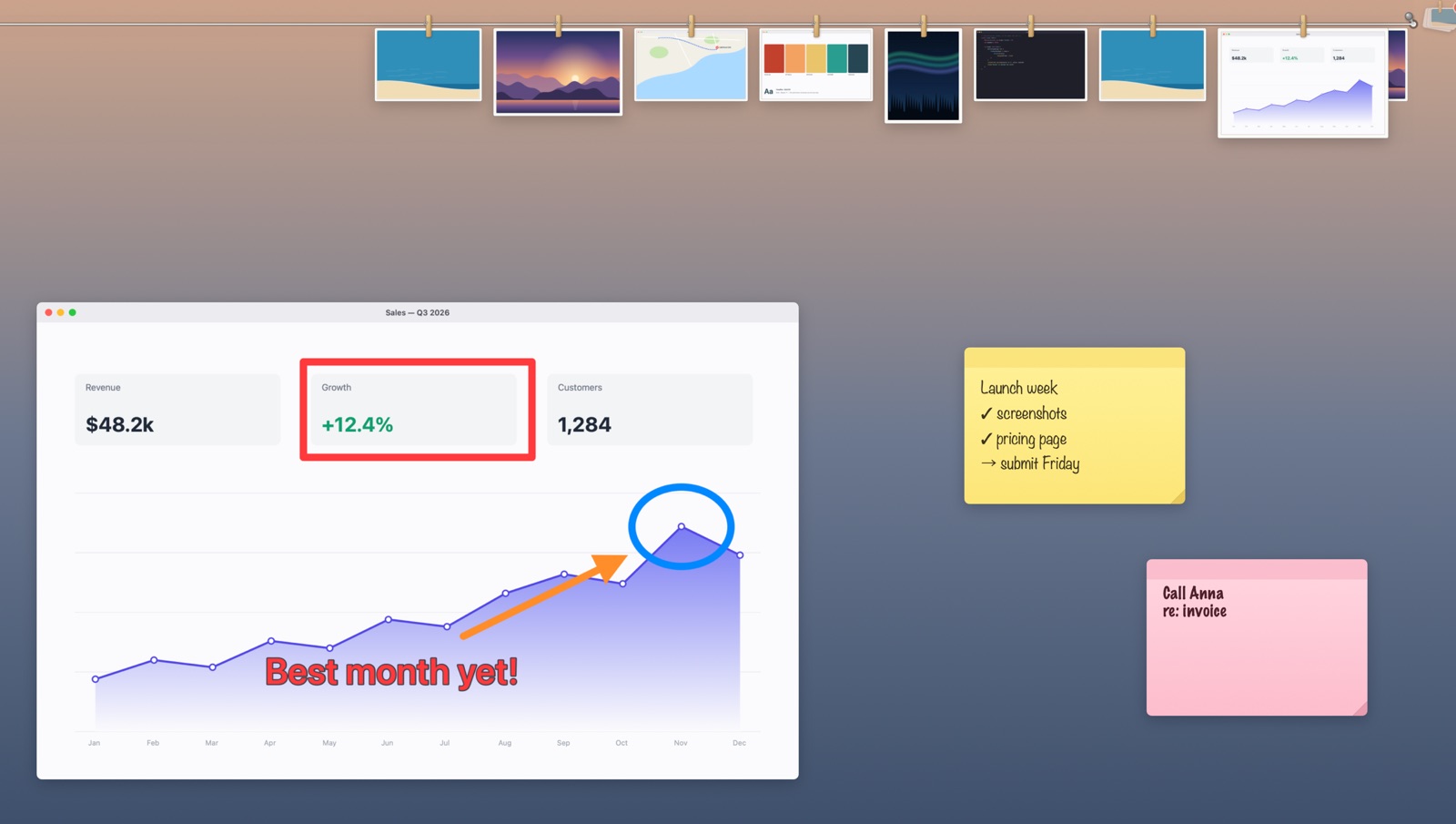
A sales chart marked up with a box, a circle, an arrow and a note, floating on the desktop beside two sticky notes, with screenshots hanging from wooden pegs along a line at the top of the screen.

Keep it beside what you're working on

Copying figures into a form, building to a design, answering a message about a chart: take a picture of what you need and it stays right there, above every window, while you carry on in the app underneath. Circle what matters, point at it, write on it, or blur what's private before you share it. A circle drawn in a hurry comes out round.

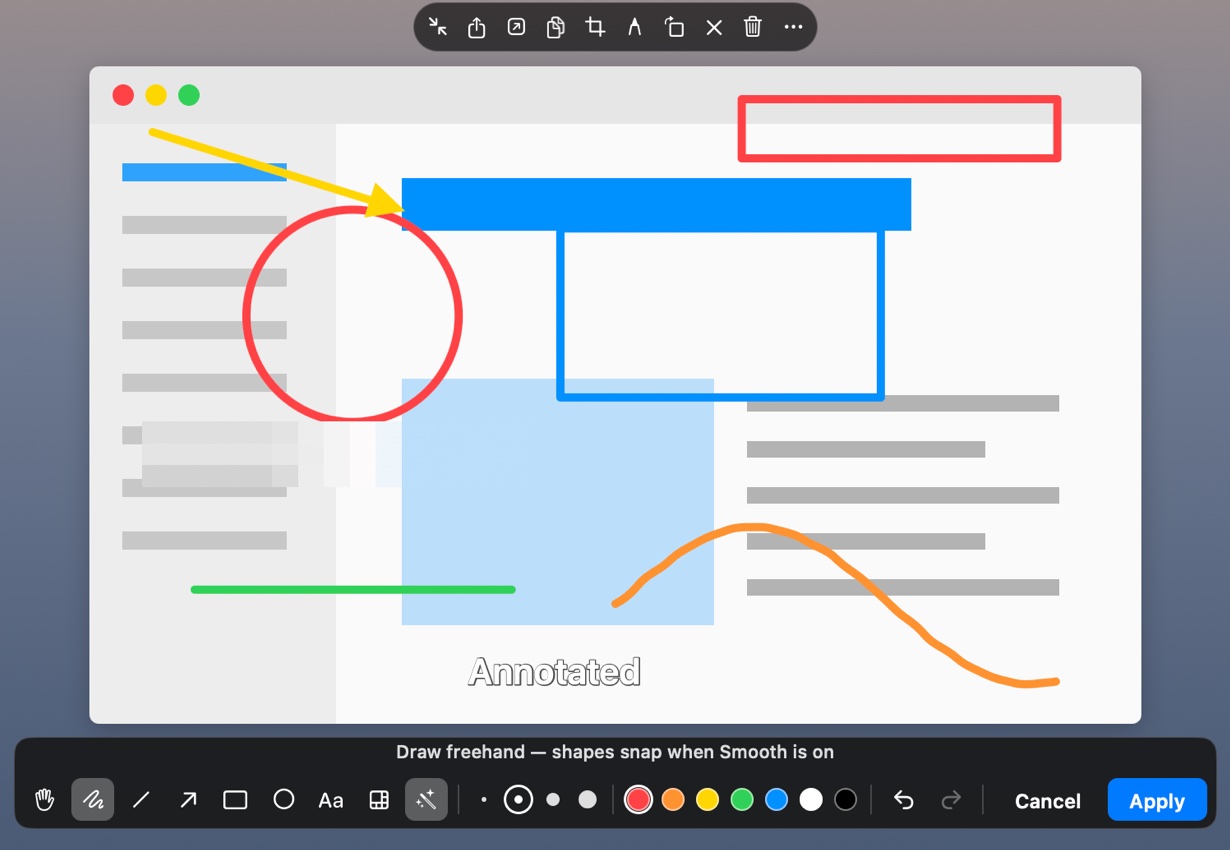
A captured window floating on the desktop, marked up with an arrow, a circle, boxes, a squiggle and text, with the drawing bar under it and the toolbar above.

Done for now, not gone

Leave a picture alone for a moment and it hangs itself on a line along the top of your screen, with everything else you kept today. While you work, the line gathers into a corner. When you need one again, pull it down and it's back at the size you took it.

Nine screenshots in white frames, hanging from wooden pegs along a line at the top of the screen.

Files can hang there too

Drop a PDF, a photo, a film or a song on the line, or send it from the Finder. Pulled down, it opens where it hangs, with pages to scroll and films to play, while the file itself stays where it was.

Files hanging on the line: a film with a play button, a document, an archive and screenshots.
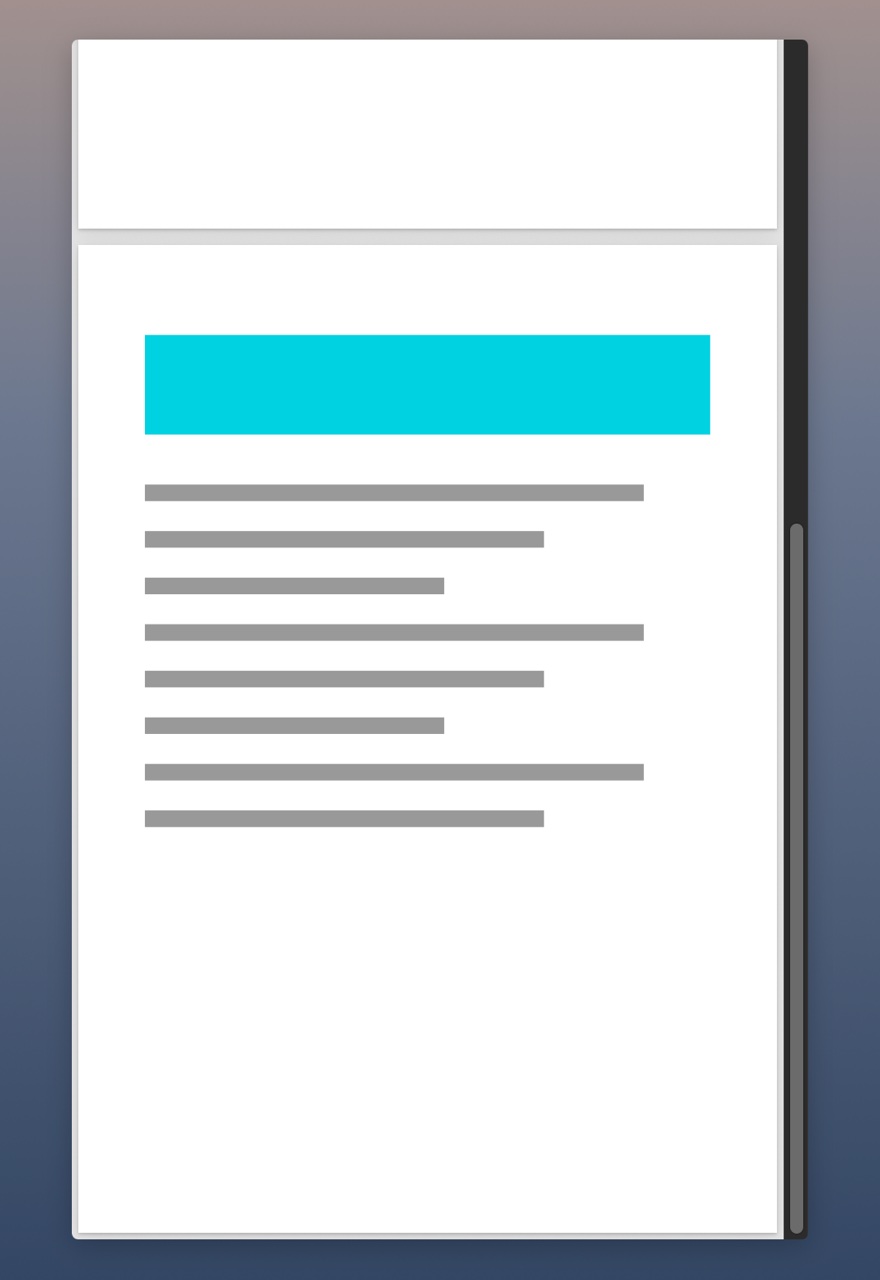
A PDF pulled down off the line, open in a live preview with a scroll bar.

Notes where you'll see them

A flight number, a birthday, a list for later: write it on a sticky note and leave it on the screen, or peg it on the line with everything else. Each note is a plain text file in your folder, on the paper and in the hand you pick for it.

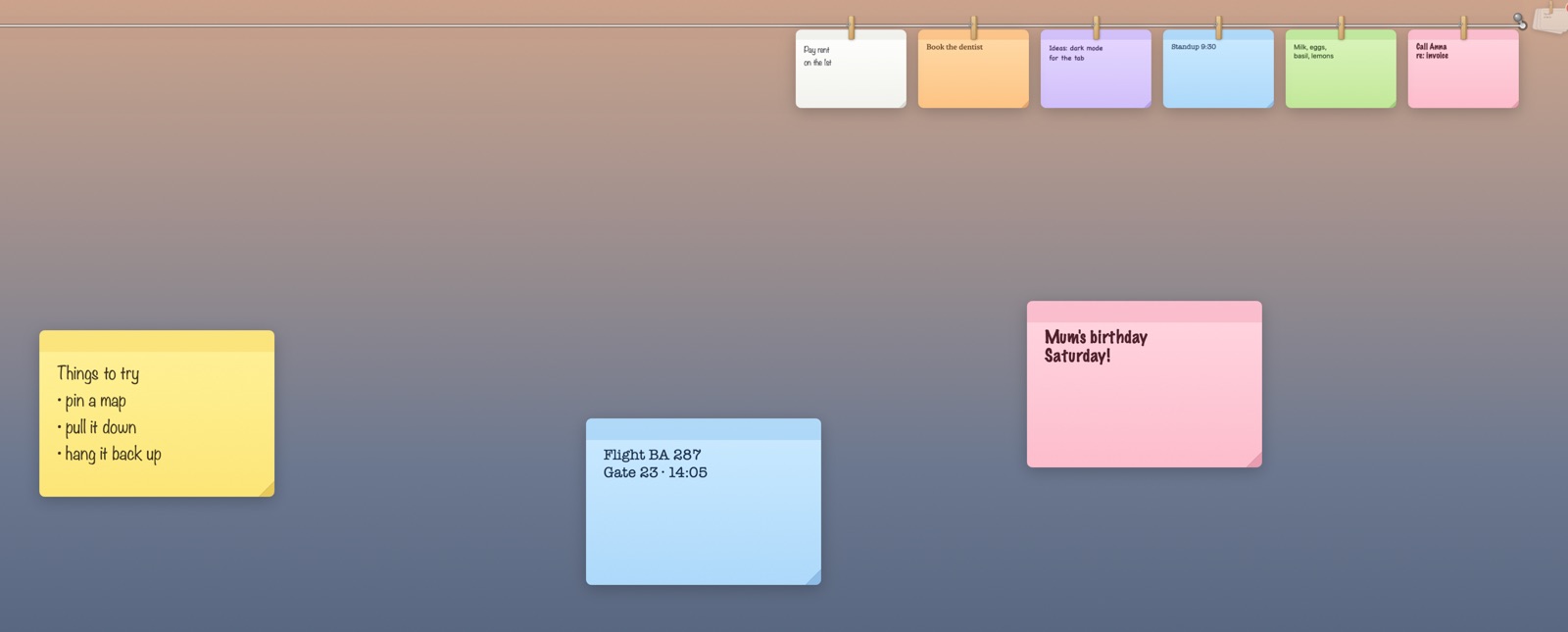
Sticky notes on the desktop, and more pegged on the line above, on yellow, blue, pink, white, orange, purple and green paper, each in a different hand.
Details

And the rest

Pensile lives in the menu bar. There's no window to manage and no library to sort: what you pinned is where you left it.

Windows, corners and all

Click a window to capture just that window, rounded corners and all. Or drag over any area, or take a whole display.

Every display

Each display has a line of its own. Send a picture to the next one with ⌘⇧→, or bring every stack to the screen you're on.

Plain files in your folder

Screenshots are PNG files and notes are text files, in a folder you choose. Take something off the line and the file stays.

Clips and frames

Paper clips or wooden pegs, with pictures bare or in white, Polaroid, wooden, gold or film-strip frames.

Out of the way

No Dock icon and no main window. Pictures float above your windows, or, if you'd rather, sit among them and come forward when you use Pensile.

Private

No account, no analytics, no tracking. Nothing you capture, pin or write leaves your Mac.

Pricing

Try it free. Then pay once, or by the year.

Pensile is a free download with a 14-day free trial of everything. After that, keep it with a purchase inside the app: all of Pensile, on every Mac you use, for your whole family.

Yearly

$9.99/ year

A small price, renewed each year. Cancel whenever you like in your App Store settings.

  • Everything in Pensile
  • All updates while subscribed
  • Family Sharing
Try free, then subscribe
Best value

Lifetime

$29.99once

Buy it once and keep it. Costs less than three years of the yearly plan.

  • Everything in Pensile
  • All future updates
  • Family Sharing
Try free, then buy once

Bought in the app, through the App Store. Prices in US dollars; the App Store shows yours in your currency.

Questions

Good to know

How does the free trial work?

Download Pensile from the Mac App Store and start the 14-day trial from the window it opens with. Everything works during the trial. When it ends, what you've pinned stays right where it is; to capture and pin new things, buy Lifetime or subscribe, inside the app.

Can my family use it?

Yes. Both Lifetime and Yearly include Family Sharing: everyone in your Family Sharing group gets Pensile on their Macs too.

How do I cancel the yearly plan?

In your App Store account settings, under Subscriptions, at least a day before it renews. You keep Pensile until the end of the year you paid for.

Where does Pensile live?

In the menu bar, as a small monochrome Pensile logo. It has no Dock icon and no main window: what you pin floats on the screen or hangs on the line along the top.

Why does it ask for Screen Recording permission?

macOS asks for it before any app can take a screenshot. Pensile uses it only to take the pictures you ask for, at the moment you ask for them.

Where are my screenshots kept?

As PNG files in Pictures › Screenshots, or any folder you choose. They're ordinary files in your folder, and stay there when you take them off the line.

What languages is it in?

English, Simplified and Traditional Chinese, Japanese, Korean, French and Spanish.

Stop losing the thing you were just looking at.

Download on the Mac App Store View on the Mac App Store